
A/B Test a Prompt Change: a 10% Rollout Caught a 1.9x Cost
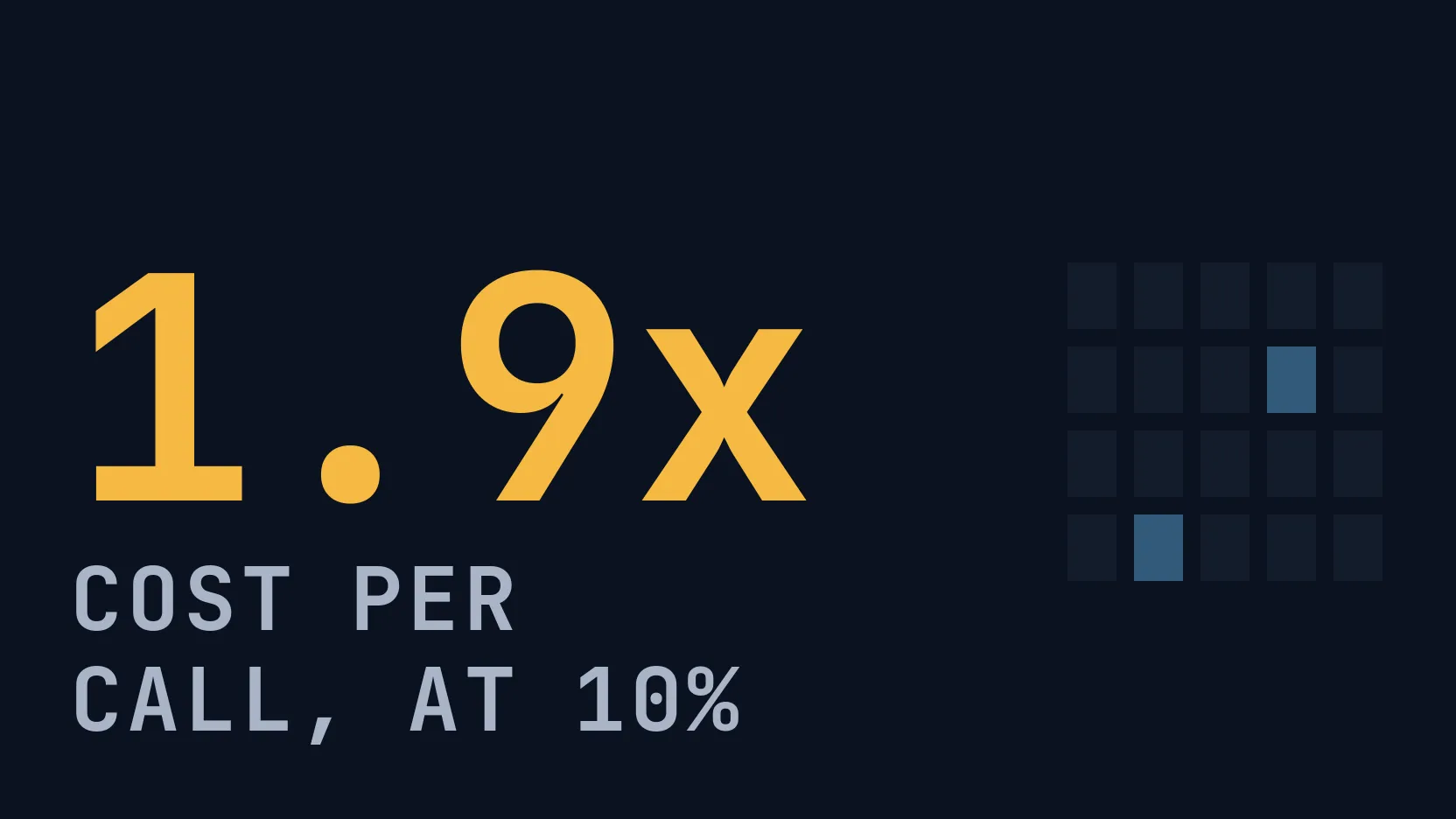
Send 10% of production to a new prompt version, split by session. Measured: 8.0% of 200 sessions went to it, all kept one version, and it cost 1.94x per call.
Our picks
live pricing| Model | Verdict | Price |
|---|---|---|
| GPT-6 Luna v1 of support-answer cost $0.000110 per call over the rollout's 1,272 calls, with a median latency of 4.9 s. With reasoning_effort none it cost $0.000034. | Production version in the demo | from $0.1/M |
| DeepSeek V4.1 Flash v3, the same prompt on this model, answered faster (median 3.1 s) but cost $0.000213 per call, 1.94 times v1, because it wrote 1.6 times the output tokens at a higher price per token. | Candidate version in the demo | from $0.3/M |
Contents
- How do you send 10% of production to a new version?
- Which calls go to the candidate?
- How do you compare the two versions?
- Does turning reasoning off change the result?
- Do test runs skew the comparison?
- What is left out?
- FAQ
- How do I A/B test a prompt in production?
- Does a rollout keep each conversation on one version?
- Can a prompt change raise cost without changing the text?
- Related reading
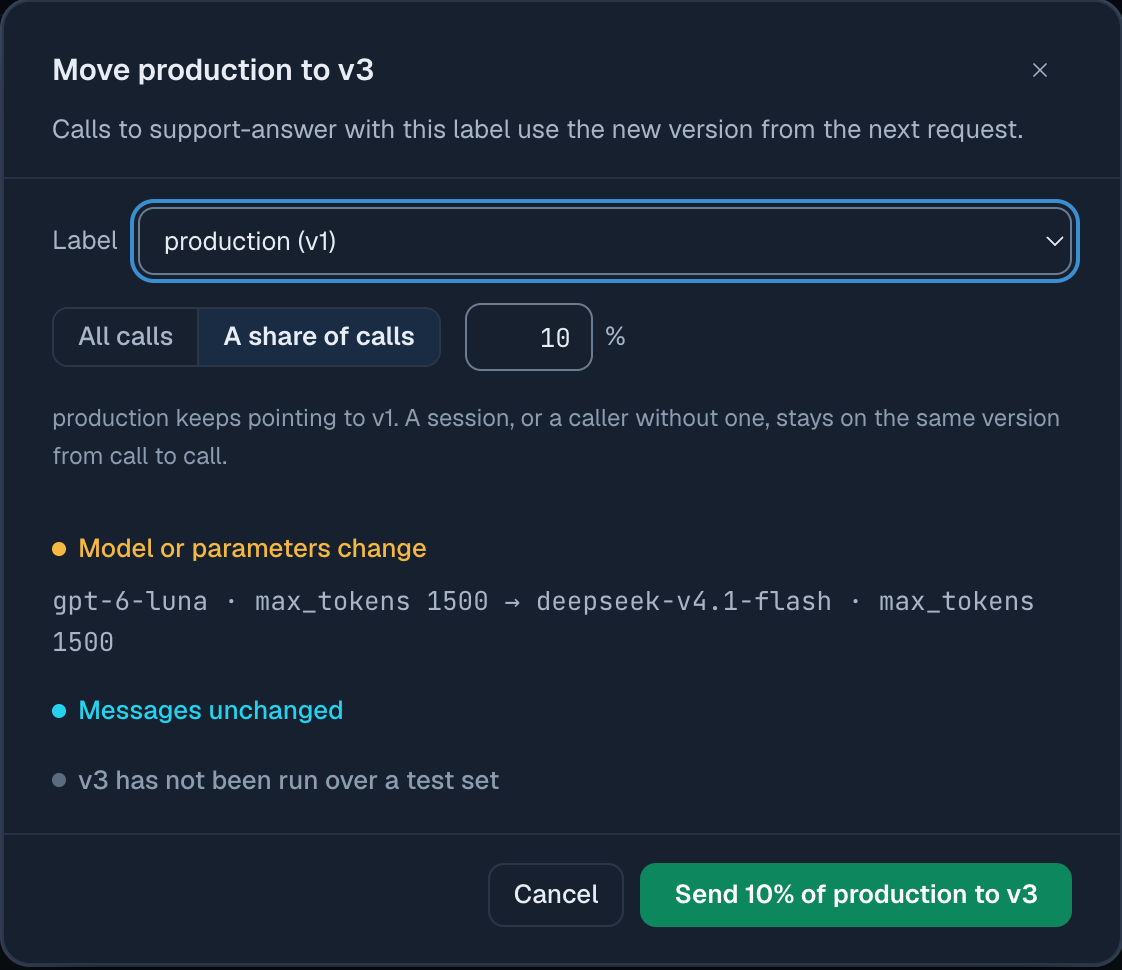
A prompt rollout sends a share of the calls for one prompt id to a candidate version while the rest keep getting production, so you can compare the two on real traffic before switching everyone. In the Synthorai prompt library you set it on the production label (“v1, with v3 at 10%”), and the gateway decides each call’s version by its session id, so a conversation never switches versions halfway. In our run 16 of 200 sessions (8.0%) went to the candidate at a 10% setting and every session kept one version. The candidate moved the prompt to another model, a change whose cost nobody had measured, and at the 10% share alone the per-version totals showed it cost 1.92 times as much per call.
TL;DR
- At a 10% rollout, 16 of 200 sessions (8.0%, 95% interval 5.0 to 12.6%) got the candidate; at 50%, 111 of 200 (55.5%).
- All 400 three-turn sessions kept one prompt version, and so did every end user identified by
_user, the body’suserorsafety_identifier. - The candidate, the same prompt on DeepSeek V4.1 Flash instead of GPT-6 Luna, cost $0.000213 per call against $0.000110, at a median 3.1 s against 4.9 s.
- Calls pinned to
prompt_version=1never went to the candidate: 0 of 40.
This guide builds on Prompt versioning, which sets up the two prompts and their versions. From the same directory of github.com/synthorai-io/use-cases:
cd use-cases/prompt-library
python rollout.py       # 10%, then 50%, then stops the rollout
python effort.py        # each version with and without a caller-sent reasoning_effort
The rollout ran on October 19, 2026 and made 1,840 calls; the checks of how end users are split ran on October 20. Production is v1 of support-answer on GPT-6 Luna. The candidate is v3: the same system text and messages on DeepSeek V4.1 Flash, so only the model changes.
How do you send 10% of production to a new version?
You give the production label a second version and a share. With an admin key it is one call, and another call stops it:
import os
import httpx

admin = httpx.Client(base_url="https://synthorai.io/api/v1",
                     headers={"Authorization": f"Bearer {os.environ['SYNTHORAI_PROMPTS_ADMIN_KEY']}"})

admin.put("/prompts/support-answer/labels/production/rollout", json={"version": 3, "percent": 10})
# ... compare the two versions ...
admin.delete("/prompts/support-answer/labels/production/rollout")   # production is v1 only again
Nothing changes for callers: they keep calling support-answer without a version, and the X-Synthorai-Prompt-Version response header says which version answered each call. To ship the candidate you move production to it, which ends the rollout. In the console the same setting is “Roll out gradually” on the candidate’s page, and the prompt list then shows the label as “production v1 · v3 10%”.
Which calls go to the candidate?
The gateway picks a version from a stable key for each call, so the same key always gets the same version while the share stays the same. The key is the first of these that the call carries:
- the session id (
X-Session-Id, the header from Trace an LLM agent); - the end user: the
_userlabel inX-Synthorai-Metadata, else the body’suser,safety_identifier, or Anthropic’smetadata.user_id; - none of these: the request itself, so each call is picked on its own.
rollout.py checked each case at a 10% and a 50% share. A session was 3 turns, an end user 2 calls:
| Calls | At 10%: on v3 | At 50%: on v3 | Kept one version |
|---|---|---|---|
200 sessions, X-Session-Id | 16 = 8.0% (5.0 to 12.6%) | 111 = 55.5% (48.6 to 62.2%) | 400 of 400 sessions |
50 end users, _user label | 6 | 27 | 100 of 100 users |
| 100 calls with neither | 11 = 11.0% (6.3 to 18.6%) | 49 = 49.0% (39.4 to 58.7%) | not applicable |
20 calls pinned to prompt_version=1 | 0 | 0 |
The ranges in parentheses are 95% confidence intervals, the range in which the true share is likely to lie given that many trials; every one contains the share we set. A separate run at 50% checked the two body fields: 50 users identified only by the body’s user field and 20 only by safety_identifier, 2 calls each. All 70 kept one version, with 25 of the 50 and 8 of the 20 on v3.
This has two consequences for your own rollout. A session id is what keeps a multi-turn conversation consistent, so send one on every call of a conversation; without any key, the same user can get v1 on one call and v3 on the next. And a pinned call, one that names a version with prompt_version, is outside the rollout: a test or a batch job that pins a version keeps getting exactly that version.
How do you compare the two versions?
The Prompts page totals calls, errors, spend, tokens and latency per version, and the Requests API returns the same figures with prompt_id and prompt_version filters. The demo read them back after the rollout:
| Version | Requests | Spend | Spend per call | Median latency | Output tokens per call, mean | Reasoning tokens per call, mean |
|---|---|---|---|---|---|---|
| v1, GPT-6 Luna | 1,272 | $0.1405 | $0.000110 | 4.9 s | 198 | 149 |
| v3, DeepSeek V4.1 Flash | 568 | $0.1208 | $0.000213 | 3.1 s | 321 | 256 |
Reasoning tokens are the tokens a model writes to think before its reply. They are billed as output and not shown in the answer.
The Calls tab of the prompt shows the same kind of totals. Over 7 days it counts every demo call of each version, not only the rollout’s, so its figures are larger than the table’s.
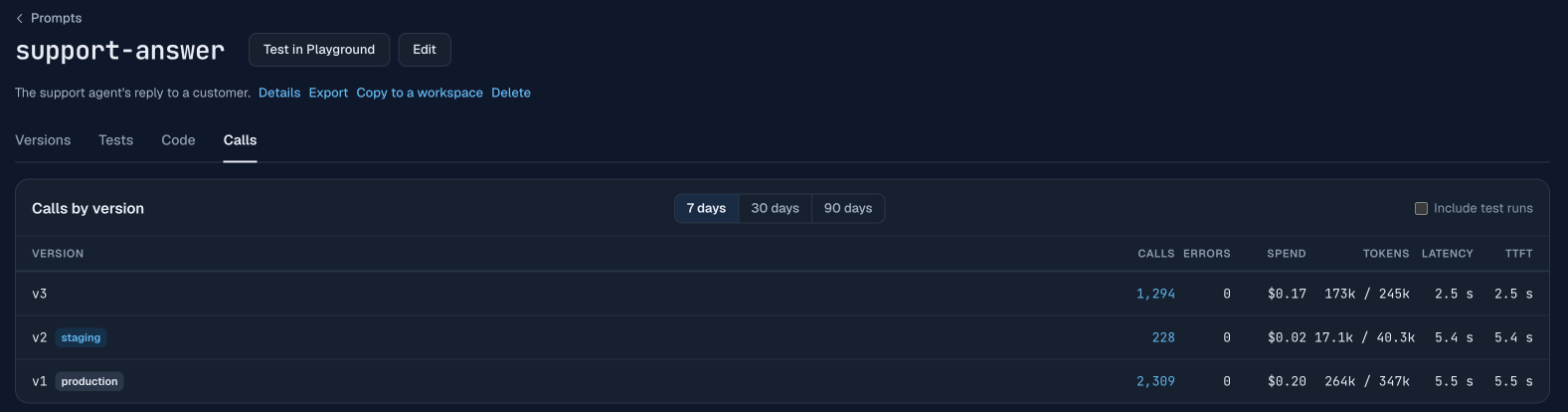
v3 is faster and costs 1.94 times as much per call over the whole run. Two things add up to it. DeepSeek V4.1 Flash costs more per token than GPT-6 Luna on this gateway: $0.15 input and $0.60 output per million tokens in its off-peak band, against $0.10 and $0.50. And v3 wrote 1.6 times the output tokens, almost all of the difference reasoning: 256 reasoning tokens per call against 149, while the replies themselves were 65 and 48 tokens (medians). Neither number shows in the prompt text. The gap was already there at the 10% share alone: the 71 calls v3 answered cost $0.000212 each, against $0.000111 for the 749 calls v1 answered, 1.92 times as much.
The price also depends on the hour. All of the rollout’s DeepSeek calls ran in the gateway’s off-peak band for this model (22:00 to 08:00 Beijing time), billed at half the peak rate of $0.30 and $1.20. The 140-call run on October 20 ran in the peak band, and there v3 cost $0.000394 per call against $0.000107 for v1, 3.7 times as much, on 66 and 74 calls.
Of the 1,840 calls, 1,839 returned 200. One timed out in the client after 300 s and is counted as an error; the session it belonged to still got its other turns.
Does turning reasoning off change the result?
It cuts both versions’ cost by two thirds or more but does not make v3 the cheaper one. effort.py called each version 50 times with no reasoning_effort and 50 times with reasoning_effort: "none" sent by the caller, on the customer messages of the test set in Test a prompt before it ships, which all name an order number (40 messages, 10 of them twice):
| Version | reasoning_effort | Cost per call | Output tokens, mean | Median latency | Answer has the order number | Judged to answer the question |
|---|---|---|---|---|---|---|
| v1, GPT-6 Luna | default | $0.000107 | 192 | 4.8 s | 50/50 | 37/50 |
| v1, GPT-6 Luna | none | $0.000034 | 45 | 1.8 s | 50/50 | 35/50 |
| v3, DeepSeek V4.1 Flash | default | $0.000200 | 300 | 3.2 s | 50/50 | 43/50 |
| v3, DeepSeek V4.1 Flash | none | $0.000049 | 55 | 1.7 s | 50/50 | 39/50 |
“none” removed reasoning entirely on both models and cut cost per call 68% on v1 and 75% on v3. The answers held up as far as 50 calls can show: every answer still named the order number, and the judged check (a Claude Sonnet 5.5 call that rates whether the reply addresses the customer’s question) moved by 2 and 4 of 50, with Fisher’s exact test giving p = 0.82 and 0.44. Fisher’s exact test gives the probability of a difference at least this large if “none” made no difference; values this high mean the change is within chance. With “none” on both, v3 still cost 1.44 times v1 per call ($0.000049 against $0.000034). These calls ran in the gateway’s off-peak band for DeepSeek too.
During a rollout the caller does not know which version will answer, so a reasoning_effort it sends applies to both. The effort can live on the version instead: a version can store reasoning_effort, which the gateway writes into Chat Completions and Responses requests when the call does not set reasoning itself. A candidate saved that way carries its own setting into the rollout, and the per-version totals then compare the versions as they would ship.
Do test runs skew the comparison?
Test runs do not skew it by default, because a version’s totals on the Prompts page leave out test traffic: Playground calls, which includes the console’s test runs, and calls labelled source: prompt-test or source: eval in X-Synthorai-Metadata. An “Include test runs” switch counts them. On support-answer, turning it on added 150 calls to each of v1 and v2, the 110 calls each of a labelled eval run and the 40 each of a console test run, and left v3 unchanged. Logs and the Requests API still list every call, so filter by the label there if an eval ran during your rollout:
X-Synthorai-Metadata: {"source":"eval"}What is left out?
- Statistical tests on cost and latency. The per-version table above compares totals and means; we did not test the differences. Before acting on a difference, test it, especially a small one.
- Answer quality on live traffic. A rollout tells you what a version costs and how fast it is. Whether its answers are right is easier to check on a fixed set of inputs before the rollout; Test a prompt before it ships does that for v2.
- Automatic stops. Nothing in the demo ends a rollout when the candidate’s error rate or cost goes past a limit. An admin changes the share, moves the label to the candidate, or stops the rollout.
FAQ
How do I A/B test a prompt in production?
Give the production label a candidate version and a share, keep calling the prompt id as before, and compare the two versions’ per-version totals. In the demo a 10% share sent 16 of 200 sessions to the candidate, and the totals showed its cost after a few hundred calls.
Does a rollout keep each conversation on one version?
A rollout keeps a conversation on one version when its calls carry a session id. All 400 sessions in the demo kept one version across their three turns. Without a session id, the end user identifier is used, and without either, each call is picked on its own.
Can a prompt change raise cost without changing the text?
A model switch with the same text can, as it did in the demo. The candidate on DeepSeek V4.1 Flash cost 1.94 times the GPT-6 Luna version per call, because it cost more per token on this gateway and spent more tokens reasoning. Compare the cost per call of the whole version, not the model’s price.
Related reading
- Prompt versioning: calling a prompt by id and moving a label.
- Test a prompt before it ships: test sets and checks, with v2 against v1.
- Why is my LLM agent expensive?: four other causes of a high bill, found in traces.
- Prompt library guide: rollout, statistics per version and every field.