
Wan2.7-Image は Alibaba の Wan(Wanxiang)シリーズの画像モデルで、テキストから画像への生成、指示ベースの画像編集、出力全体で一貫したキャラクターを持つ画像セット生成、そして最大 9 枚の入力画像を用いる複数画像参照をカバーする統一アーキテクチャの上に構築されています。
- 入力
- テキスト 画像
- 出力
- 画像
- 価格
- $0.03/image
価格の位置づけ
同種の 8 モデルの中での価格の位置
このバーは、Synthorai の同種モデルの中で、このモデルの価格がどのあたりにあるかを示しています。両端には、最も安いモデルと最も高いモデルの名前を表示しています。表示しているのは基本料金で、バッチ、リージョン、キャッシュ書き込みに関する割引は料金ページに記載しています。
仕様と制限
画像
| サイズ |
|
|---|---|
| 入力モード | テキストから画像、画像編集(バウンディングボックスによる対話編集を含む)、参照画像 0〜9 枚、テキスト/画像から画像セット |
| フォーマット | png |
| 1 リクエストあたりの画像数 | 12 |
| 画像機能 |
|
モデル
| モダリティ | テキスト + 画像 → 画像 |
|---|
- 機能セットは wan2.7-image-pro と同じで、生成がより高速、最大解像度はより低くなります。
- Wan2.7 に公式のオープンウェイト公開はありません。
1 つのプロンプトを実行(ゲートウェイ経由で測定)
wan2.7-image
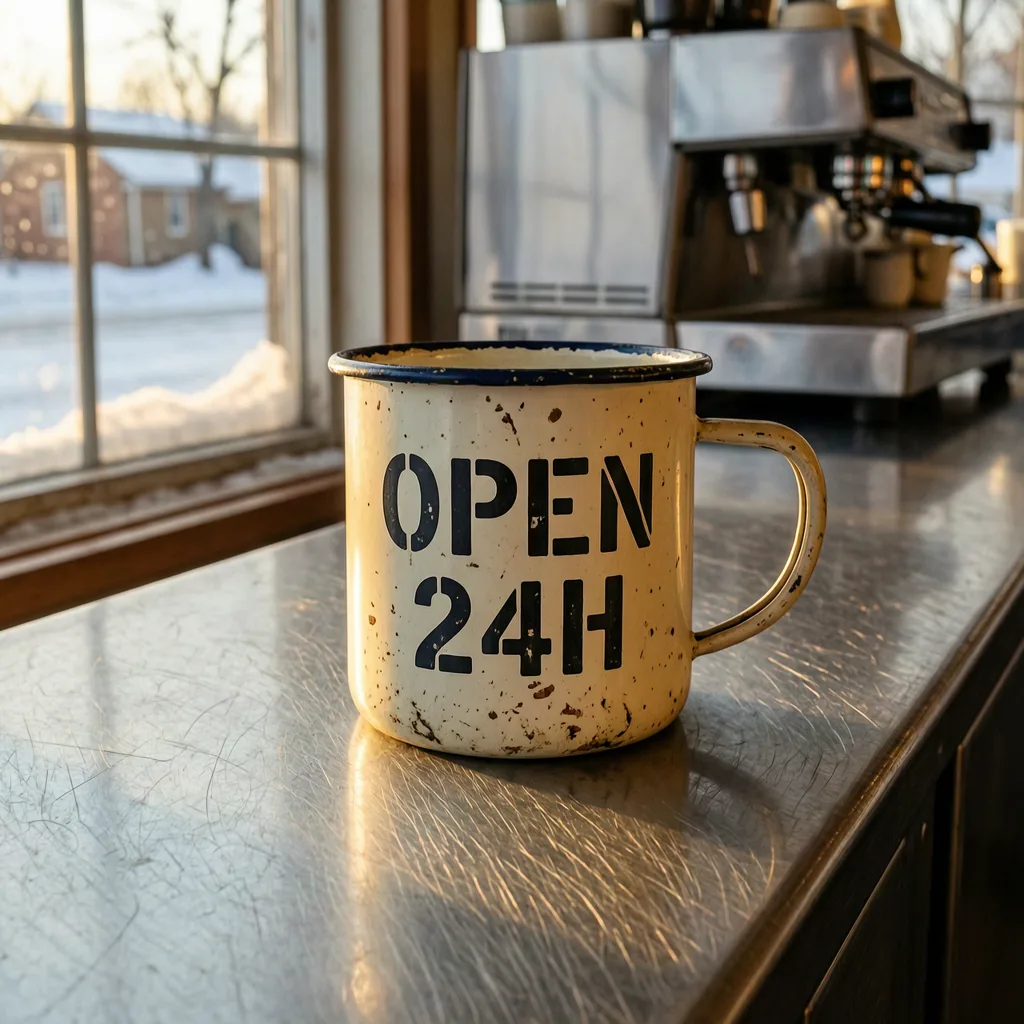
モデルの出力 1024×1024 レイテンシ 18 s
1 つのプロンプトを各モデルに 1 回ずつ送り、最初に返ってきた結果をそのまま掲載しています。再試行も、出来のよいものだけを選ぶこともしていません。サイズと長さは指定せず、各モデルのデフォルトに任せました。すべてのモデルに合わせた条件にすると、どのモデルの持ち味も出なくなるためです。ここに掲載しているファイルは Web 用に再エンコードしているので、圧縮品質ではなく、構図とプロンプトへの忠実さを見てください。
30 秒で wan2.7-image を使い始める
OpenAI 互換。base_url を差し替えるだけで、SDK はそのまま。POST /v1/images/generations
from openai import OpenAI

client = OpenAI(
    base_url="https://synthorai.io/v1",
    api_key="sk-syn-...",
)

resp = client.images.generate(
    model="wan2.7-image",
    prompt="a watercolor lighthouse at dawn",
    size="1024x1024",
)
print(resp.data[0].b64_json[:80])
import OpenAI from "openai";
const client = new OpenAI({
baseURL: "https://synthorai.io/v1",
apiKey: "sk-syn-...",
});
const resp = await client.images.generate({
model: "wan2.7-image",
prompt: "a watercolor lighthouse at dawn",
size: "1024x1024",
});
console.log(resp.data?.[0]?.b64_json?.slice(0, 80));curl https://synthorai.io/v1/images/generations \
-H "Authorization: Bearer sk-syn-..." \
-H "Content-Type: application/json" \
-d '{
"model": "wan2.7-image",
"prompt": "a watercolor lighthouse at dawn",
"size": "1024x1024"
}'package main
import (
"context"
"fmt"
"github.com/openai/openai-go/v3"
"github.com/openai/openai-go/v3/option"
)
func main() {
client := openai.NewClient(
option.WithBaseURL("https://synthorai.io/v1"),
option.WithAPIKey("sk-syn-..."),
)
resp, _ := client.Images.Generate(context.TODO(), openai.ImageGenerateParams{
Model: "wan2.7-image",
Prompt: "a watercolor lighthouse at dawn",
Size: "1024x1024",
})
fmt.Println(resp.Data[0].B64JSON[:80])
}import com.openai.client.OpenAIClient;
import com.openai.client.okhttp.OpenAIOkHttpClient;
import com.openai.models.images.*;
OpenAIClient client = OpenAIOkHttpClient.builder()
.baseUrl("https://synthorai.io/v1")
.apiKey("sk-syn-...")
.build();
ImagesResponse resp = client.images().generate(
ImageGenerateParams.builder()
.model("wan2.7-image")
.prompt("a watercolor lighthouse at dawn")
.size("1024x1024")
.build());
System.out.println(resp.data().orElseThrow().get(0).b64Json().orElseThrow().substring(0, 80));wan2.7-image について
- 公式ドキュメントは、編集と画像セットのシナリオで最大 2K 解像度への対応を挙げ、このベース版を 2.7 ラインアップにおける高速生成の選択肢と位置づけています。
- Pro が 4K に達するのに対し、このモデルはどのシナリオでも 2048x2048 が上限であり、文書化された両者の違いはそれがすべてです。
- 共有される機能セットこそが、このラインを Alibaba の他の画像モデルに対して際立たせています。
- 中国語または英語で最大 5,000 文字のプロンプト、1:8 から 8:1 に及ぶアスペクト比、自由記述の指示だけでなくバウンディングボックスを受け取る領域ベースのインタラクティブ編集、単一の呼び出しから最大 12 枚のキャラクター一貫性のあるセット、そして複数の 16 進数値を比率とともに受け付けるブランドカラーパレットのパラメータです。
- Qwen-Image ラインとは異なり、ここではネガティブプロンプトに対応していません。
- 参照画像は幅広い寸法範囲で、1 枚あたり最大 20 MB まで受け付けられます。
- 同期と非同期のタスクベース呼び出しの両方が文書化されています(タスクを作成し、完了までポーリングします)。
- 出力は PNG で、生成された URL は 24 時間後に失効し、正常に生成された画像のみが課金対象です。
- Synthorai は Wan2.7-Image を OpenAI 互換エンドポイント経由で開発者に提供します。
よくある質問
wan2.7-image API は無料で試せますか?
はい。新規アカウントには 10 回のお試し呼び出しと最大 $1 の無料クレジットが付き、カード登録は不要です。支払い方法を追加する前に、実際のワークロードで wan2.7-image を試すには十分な量です。
wan2.7-image は何が得意ですか?
生成と編集の統一アーキテクチャ、一貫したキャラクターを持つ画像セット、最大 9 枚の入力の複数画像参照。詳しくは、ベンダー公式のリリースノートをもとにまとめた、このページのモデル紹介セクションをご覧ください。
wan2.7-image の料金はいくらですか?
Synthorai での wan2.7-image の料金は、生成画像 1 枚あたり $0.03 です。従量課金で、プラットフォーム手数料もサブスクリプションも不要です。
wan2.7-image API で画像を生成するには?
Synthorai の /v1/images/generations に model="wan2.7-image" を指定して POST するだけです。OpenAI images API と同じ形式で、ベンダー SDK は不要です。対応サイズ:1K(1024x1024), 2K(2048x2048、デフォルト), 任意の WxH(総ピクセル数 768x768 – 2048x2048、比率 1:8–8:1)。
wan2.7-image を利用するには?
お使いの OpenAI SDK の base_url を "https://synthorai.io/v1" に向け、model="wan2.7-image" を設定すれば完了です。API キー 1 本でゲートウェイ上のすべてのモデルを利用できます。
関連モデル
比較
このページの値は、すべてベンダー自身のドキュメント(上部にリンクがあります)から転記したもので、確認した日付を添えています。価格はカタログ全体で比較しています。一方、ベンダーによって定義が異なる仕様値は、違いを明記するにとどめ、グラフでの比較はしていません。当社が測定した数値はなく、スコアも付けていません。