
GPT Image 2 is OpenAI's state-of-the-art image model, built for fast, high-quality image generation and editing.
- Input
- text image $5/M
- Output
- image $30/M
Price in context
Where the price sits among 9 comparable models
The bar shows how this model’s price compares with every other model of the same kind on Synthorai. The cheapest and the most expensive are named at each end. These are base rates; batch, region and cache-write discounts are on the pricing page.
Specs & limits
Image
| Sizes |
|
|---|---|
| Input modes | text-to-image, image edit with mask inpainting |
| Format | png, jpeg, webp |
| Images per request | 10 |
| Image capabilities |
|
Model
| Modalities | text + image → image |
|---|
- State-of-the-art image generation and editing tier
- partial-image streaming via partial_images parameter (100 extra image tokens per partial)
One prompt, measured through the gateway
GPT Image 2
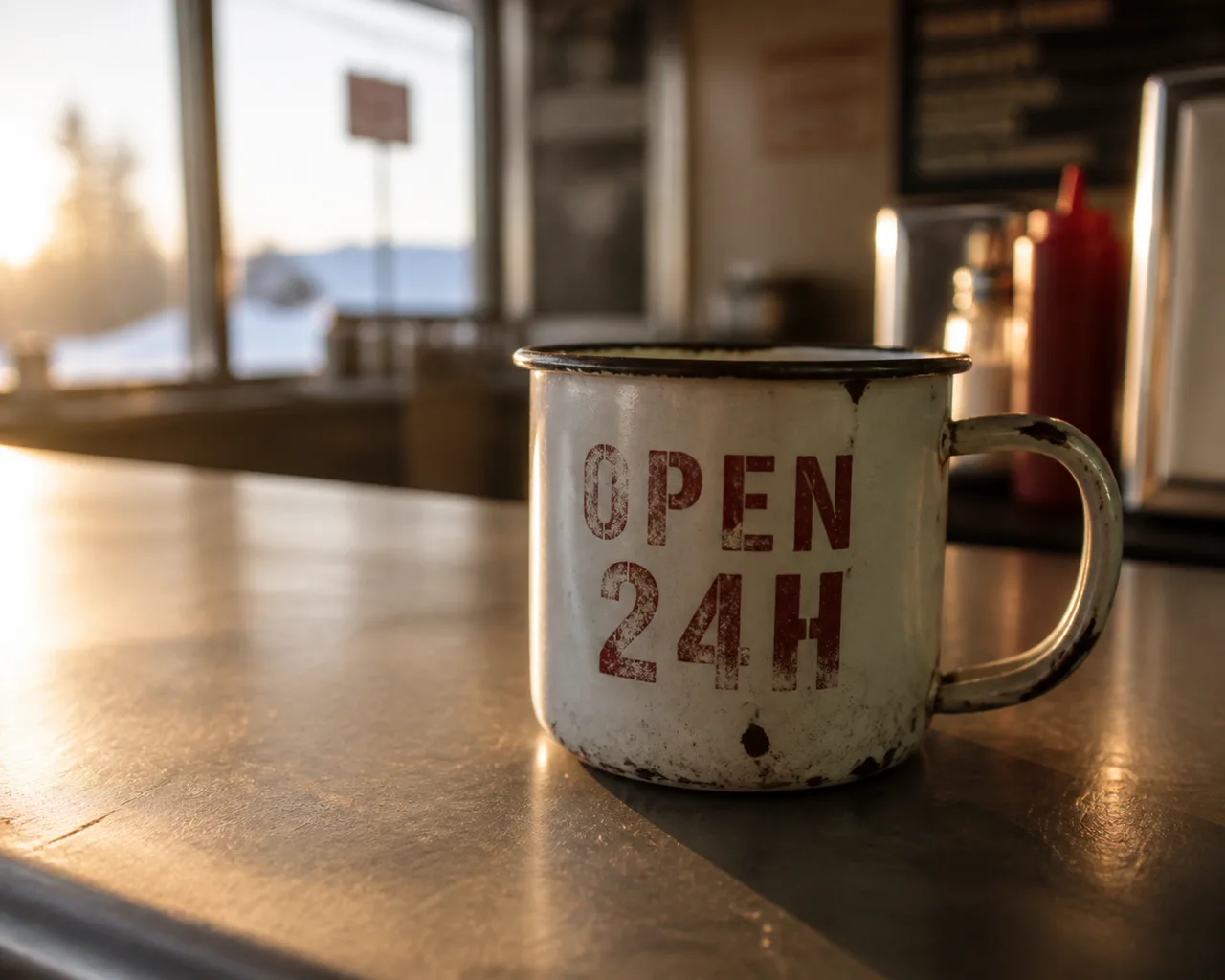
Model returned 1402×1122 latency 18 s
One prompt, one request per model, no retries and no cherry-picking. This is the first result each model returned. Neither size nor duration was pinned: each model used its own default, because a request shaped to fit all of them would flatter none. Files here are re-encoded for the web, so judge composition and prompt adherence, not compression.
Use GPT Image 2 in 30 seconds
OpenAI-compatible: swap the base_url, keep your SDK. POST /v1/images/generations
from openai import OpenAI

client = OpenAI(
    base_url="https://synthorai.io/v1",
    api_key="sk-syn-...",
)

resp = client.images.generate(
    model="gpt-image-2",
    prompt="a watercolor lighthouse at dawn",
    size="1024x1024",
)
print(resp.data[0].b64_json[:80])
import OpenAI from "openai";
const client = new OpenAI({
baseURL: "https://synthorai.io/v1",
apiKey: "sk-syn-...",
});
const resp = await client.images.generate({
model: "gpt-image-2",
prompt: "a watercolor lighthouse at dawn",
size: "1024x1024",
});
console.log(resp.data?.[0]?.b64_json?.slice(0, 80));curl https://synthorai.io/v1/images/generations \
-H "Authorization: Bearer sk-syn-..." \
-H "Content-Type: application/json" \
-d '{
"model": "gpt-image-2",
"prompt": "a watercolor lighthouse at dawn",
"size": "1024x1024"
}'package main
import (
"context"
"fmt"
"github.com/openai/openai-go/v3"
"github.com/openai/openai-go/v3/option"
)
func main() {
client := openai.NewClient(
option.WithBaseURL("https://synthorai.io/v1"),
option.WithAPIKey("sk-syn-..."),
)
resp, _ := client.Images.Generate(context.TODO(), openai.ImageGenerateParams{
Model: "gpt-image-2",
Prompt: "a watercolor lighthouse at dawn",
Size: "1024x1024",
})
fmt.Println(resp.Data[0].B64JSON[:80])
}import com.openai.client.OpenAIClient;
import com.openai.client.okhttp.OpenAIOkHttpClient;
import com.openai.models.images.*;
OpenAIClient client = OpenAIOkHttpClient.builder()
.baseUrl("https://synthorai.io/v1")
.apiKey("sk-syn-...")
.build();
ImagesResponse resp = client.images().generate(
ImageGenerateParams.builder()
.model("gpt-image-2")
.prompt("a watercolor lighthouse at dawn")
.size("1024x1024")
.build());
System.out.println(resp.data().orElseThrow().get(0).b64Json().orElseThrow().substring(0, 80));About GPT Image 2
- Versus its predecessors it adds flexible image sizes and high-fidelity image inputs, and it serves both the image generation and image edit endpoints while rating in the highest performance tier on the official model page.
- Sizes are no longer a fixed menu: any edge up to 3840px is allowed provided both edges are multiples of 16 and the long-to-short ratio stays within 3:1, which brings 4K output within reach alongside the familiar square, portrait, and landscape presets.
- OpenAI's launch material aims it at production workflows where images must be accurate, readable, on-brand, localized, and usable without heavy cleanup, and names apps, ads, product flows, social, presentations, and documents, plus diagrams, infographics, charts, posters, and comics.
- Two behaviours differ from earlier models and will break copied code: the input fidelity parameter must be omitted because every image input is already processed at high fidelity, and transparent backgrounds are not supported on this model.
- Mask-based inpainting, partial-image streaming, selectable moderation, and Batch submission all carry over.
- It is the current default recommendation for new image workloads.
- Synthorai supports gpt-image-2 on its OpenAI-compatible /v1/images/generations route, keeping request and response shapes identical to upstream.
FAQ
Is the GPT Image 2 API free to try?
Yes: new accounts get 10 trial calls and up to $1 in free credit, no card required. That's enough to try GPT Image 2 against your real workload before adding a payment method.
What is GPT Image 2 best at?
Flexible image sizes and high-fidelity inputs; serves both generation and edit endpoints; default recommendation for new image workloads. See the About section for the full picture from the vendor's own release notes.
How much does GPT Image 2 cost?
GPT Image 2 costs $5 per million input tokens and $30 per million output tokens on Synthorai. That is the provider's list price, with no platform markup.
How do I generate images with the GPT Image 2 API?
POST to /v1/images/generations on Synthorai with model="gpt-image-2". It follows the OpenAI images API shape, so no vendor SDK is needed. Supported sizes: 1024x1024, 1536x1024, 1024x1536, 2048x2048, 2048x1152, 3840x2160, 2160x3840, auto, arbitrary WxH (both divisible by 16, aspect ratio 1:3-3:1).
How do I get access to GPT Image 2?
Point your existing OpenAI SDK at base_url="https://synthorai.io/v1", set model="gpt-image-2", and you're done. One API key covers every model on the gateway.
Related models
Compare
Every value on this page is transcribed from the vendor's own documentation, linked above, and carries the date it was checked. Prices are compared across the catalogue; specification values that vendors define differently are shown with the difference stated rather than charted. Nothing here is measured by us, and nothing is scored.