
Qwen-Image-2.0 Pro is the professional-grade tier of the Qwen-Image-2.0 series, aimed at maximum output quality where the base variant favors generation speed.
- Input
- text image
- Output
- image
- Price
- $0.075/image
Price in context
Where the price sits among 8 comparable models
The bar shows how this model’s price compares with every other model of the same kind on Synthorai. The cheapest and the most expensive are named at each end. These are base rates; batch, region and cache-write discounts are on the pricing page.
Specs & limits
Image
| Sizes |
|
|---|---|
| Input modes | text-to-image, image editing (1-3 input images) |
| Format | png |
| Images per request | 6 |
| Image capabilities |
|
Model
| Modalities | text + image → image |
|---|
Recommended flagship of the Qwen-Image-2.0 family (unified gen-edit, lighter architecture per the 2026-02-11 announcement)
One prompt, measured through the gateway
qwen-image-2.0-pro
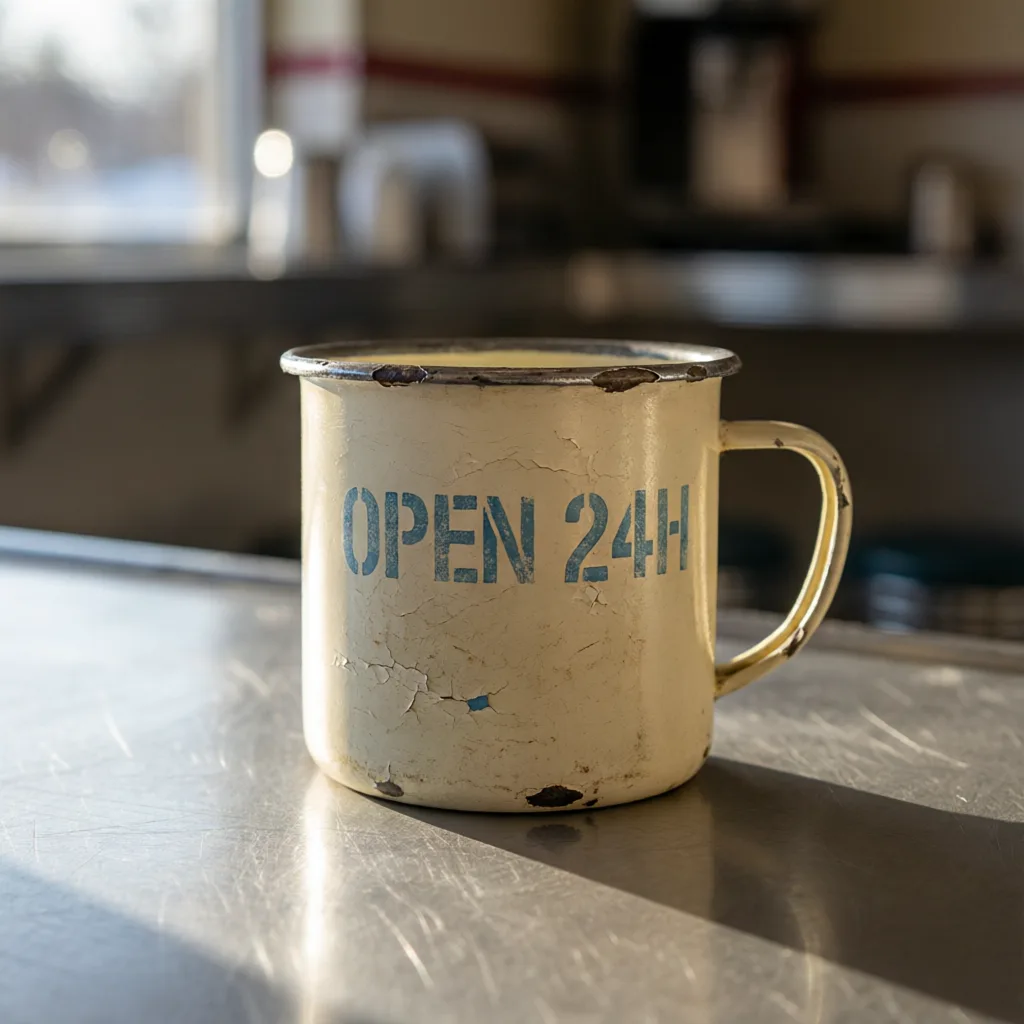
Model returned 1024×1024 latency 11 s
One prompt, one request per model, no retries and no cherry-picking. This is the first result each model returned. Neither size nor duration was pinned: each model used its own default, because a request shaped to fit all of them would flatter none. Files here are re-encoded for the web, so judge composition and prompt adherence, not compression.
Use qwen-image-2.0-pro in 30 seconds
OpenAI-compatible: swap the base_url, keep your SDK. POST /v1/images/generations
from openai import OpenAI

client = OpenAI(
    base_url="https://synthorai.io/v1",
    api_key="sk-syn-...",
)

resp = client.images.generate(
    model="qwen-image-2.0-pro",
    prompt="a watercolor lighthouse at dawn",
    size="1024x1024",
)
print(resp.data[0].b64_json[:80])
import OpenAI from "openai";
const client = new OpenAI({
baseURL: "https://synthorai.io/v1",
apiKey: "sk-syn-...",
});
const resp = await client.images.generate({
model: "qwen-image-2.0-pro",
prompt: "a watercolor lighthouse at dawn",
size: "1024x1024",
});
console.log(resp.data?.[0]?.b64_json?.slice(0, 80));curl https://synthorai.io/v1/images/generations \
-H "Authorization: Bearer sk-syn-..." \
-H "Content-Type: application/json" \
-d '{
"model": "qwen-image-2.0-pro",
"prompt": "a watercolor lighthouse at dawn",
"size": "1024x1024"
}'package main
import (
"context"
"fmt"
"github.com/openai/openai-go/v3"
"github.com/openai/openai-go/v3/option"
)
func main() {
client := openai.NewClient(
option.WithBaseURL("https://synthorai.io/v1"),
option.WithAPIKey("sk-syn-..."),
)
resp, _ := client.Images.Generate(context.TODO(), openai.ImageGenerateParams{
Model: "qwen-image-2.0-pro",
Prompt: "a watercolor lighthouse at dawn",
Size: "1024x1024",
})
fmt.Println(resp.Data[0].B64JSON[:80])
}import com.openai.client.OpenAIClient;
import com.openai.client.okhttp.OpenAIOkHttpClient;
import com.openai.models.images.*;
OpenAIClient client = OpenAIOkHttpClient.builder()
.baseUrl("https://synthorai.io/v1")
.apiKey("sk-syn-...")
.build();
ImagesResponse resp = client.images().generate(
ImageGenerateParams.builder()
.model("qwen-image-2.0-pro")
.prompt("a watercolor lighthouse at dawn")
.size("1024x1024")
.build());
System.out.println(resp.data().orElseThrow().get(0).b64Json().orElseThrow().substring(0, 80));About qwen-image-2.0-pro
- It shares the series' defining upgrades over the first-generation Qwen-Image: unified generation and editing in one model, native 2K resolution, improved text rendering, and typography strong enough to produce infographics, posters, and comics from instructions up to 1k tokens.
- The official docs list it alongside the base model with custom resolution support.
- Read the two entries side by side and the distinction is unusually clean: the specification tables are identical (same 512x512 to 2048x2048 range and 2048x2048 default, same aspect presets, same one-to-six images per request, same 500-character negative prompt, same synchronous-only API with no async job flow), and Alibaba marks this variant Recommended purely on output, citing stronger text rendering, more realistic texture, and closer semantic adherence to the prompt.
- Editing shares the same model id as generation, accepting one to three reference images for in-image text edits, object addition, removal or repositioning, pose changes, style transfer, and detail enhancement.
- Note that although the wider Qwen family publishes open image weights, the released checkpoint is a previous-generation model, not this one.
- The 2.0 series is API-only.
- Synthorai exposes it via the OpenAI-compatible image API.
FAQ
Is the qwen-image-2.0-pro API free to try?
Yes: new accounts get 10 trial calls and up to $1 in free credit, no card required. That's enough to try qwen-image-2.0-pro against your real workload before adding a payment method.
What is qwen-image-2.0-pro best at?
Professional tier aimed at maximum quality; native 2K resolution with unified editing; infographics from instructions up to 1k tokens. See the About section for the full picture from the vendor's own release notes.
How much does qwen-image-2.0-pro cost?
qwen-image-2.0-pro costs $0.075 per generated image on Synthorai: pay-as-you-go, no platform markup, no subscription.
How do I generate images with the qwen-image-2.0-pro API?
POST to /v1/images/generations on Synthorai with model="qwen-image-2.0-pro". It follows the OpenAI images API shape, so no vendor SDK is needed. Supported sizes: 2048x2048 (default, 1:1), 2688x1536 (16:9), 1536x2688 (9:16), 2368x1728 (4:3), 1728x2368 (3:4), custom WxH (total pixels 512x512 - 2048x2048).
How do I get access to qwen-image-2.0-pro?
Point your existing OpenAI SDK at base_url="https://synthorai.io/v1", set model="qwen-image-2.0-pro", and you're done. One API key covers every model on the gateway.
Related models
Compare
Every value on this page is transcribed from the vendor's own documentation, linked above, and carries the date it was checked. Prices are compared across the catalogue; specification values that vendors define differently are shown with the difference stated rather than charted. Nothing here is measured by us, and nothing is scored.