
GPT Image 2 是 OpenAI 最先進的影像模型,專為快速、高品質的影像生成與編輯打造。
- 輸入
- 文字 圖像 $5/M
- 輸出
- 圖像 $30/M
價格在同類中的位置
價格在 9 個同類模型中的位置
這條線標出這個模型的價格,在 Synthorai 的同類模型裡落在什麼位置;兩端分別是最便宜和最貴的模型。這裡列的是基礎價,批次、區域和快取寫入的折扣請見價格頁。
規格與限制
圖像
| 尺寸 |
|
|---|---|
| 輸入方式 | 文生圖、帶遮罩區域重繪的影像編輯 |
| 格式 | png, jpeg, webp |
| 每次請求圖片數 | 10 |
| 圖像功能 |
|
模型
| 模態 | 文字 + 圖像 → 圖像 |
|---|
- 最先進的影像生成與編輯等級
- 可透過 partial_images 參數以串流回傳部分影像(每張部分影像額外計 100 個影像 token)
一段提示詞,經閘道實測
GPT Image 2
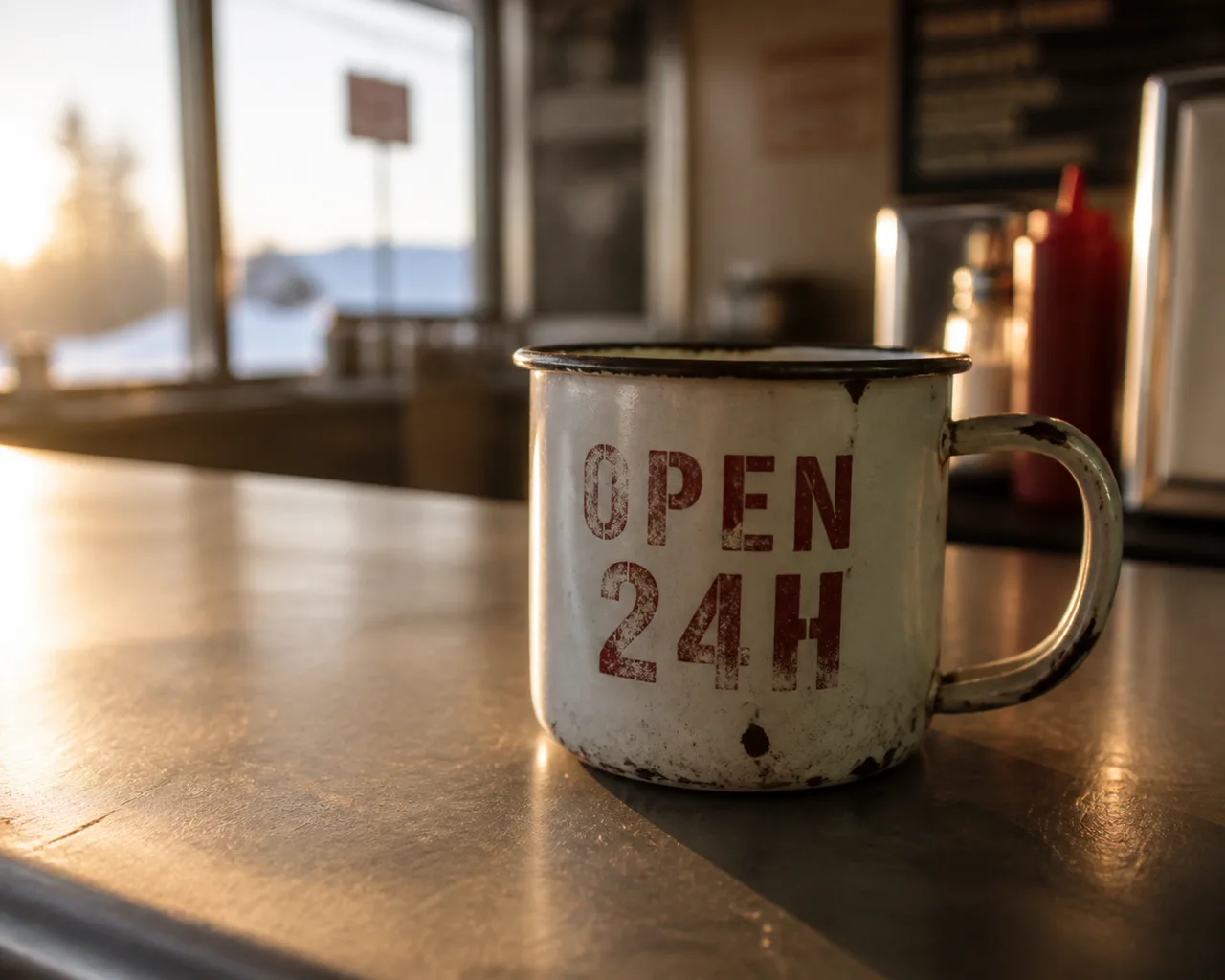
模型回傳 1402×1122 延遲 18 s
同一段提示詞,每個模型只送一次請求,不重試,也不挑比較好的結果,看到的就是各模型回傳的第一個結果。尺寸和長度都沒有指定,各模型用的是自己的預設值;如果硬把請求調成每個模型都適用的規格,反而誰的長處都看不出來。這裡的檔案都為了網頁重新編碼過,所以請看構圖和有沒有照提示詞做,不要拿來評斷壓縮品質。
30 秒上手 GPT Image 2
相容 OpenAI:換掉 base_url,SDK 不用換。POST /v1/images/generations
from openai import OpenAI

client = OpenAI(
    base_url="https://synthorai.io/v1",
    api_key="sk-syn-...",
)

resp = client.images.generate(
    model="gpt-image-2",
    prompt="a watercolor lighthouse at dawn",
    size="1024x1024",
)
print(resp.data[0].b64_json[:80])
import OpenAI from "openai";
const client = new OpenAI({
baseURL: "https://synthorai.io/v1",
apiKey: "sk-syn-...",
});
const resp = await client.images.generate({
model: "gpt-image-2",
prompt: "a watercolor lighthouse at dawn",
size: "1024x1024",
});
console.log(resp.data?.[0]?.b64_json?.slice(0, 80));curl https://synthorai.io/v1/images/generations \
-H "Authorization: Bearer sk-syn-..." \
-H "Content-Type: application/json" \
-d '{
"model": "gpt-image-2",
"prompt": "a watercolor lighthouse at dawn",
"size": "1024x1024"
}'package main
import (
"context"
"fmt"
"github.com/openai/openai-go/v3"
"github.com/openai/openai-go/v3/option"
)
func main() {
client := openai.NewClient(
option.WithBaseURL("https://synthorai.io/v1"),
option.WithAPIKey("sk-syn-..."),
)
resp, _ := client.Images.Generate(context.TODO(), openai.ImageGenerateParams{
Model: "gpt-image-2",
Prompt: "a watercolor lighthouse at dawn",
Size: "1024x1024",
})
fmt.Println(resp.Data[0].B64JSON[:80])
}import com.openai.client.OpenAIClient;
import com.openai.client.okhttp.OpenAIOkHttpClient;
import com.openai.models.images.*;
OpenAIClient client = OpenAIOkHttpClient.builder()
.baseUrl("https://synthorai.io/v1")
.apiKey("sk-syn-...")
.build();
ImagesResponse resp = client.images().generate(
ImageGenerateParams.builder()
.model("gpt-image-2")
.prompt("a watercolor lighthouse at dawn")
.size("1024x1024")
.build());
System.out.println(resp.data().orElseThrow().get(0).b64Json().orElseThrow().substring(0, 80));關於 GPT Image 2
- 相比它的前代,它新增了彈性的影像尺寸與高保真的影像輸入,同時服務影像生成與影像編輯這兩個端點,並且在官方模型頁面上被評在最高的效能等級。
- 尺寸不再是一份固定的選單:只要兩邊的邊長都是 16 的倍數、長邊與短邊的比例維持在 3:1 以內,任何一邊最長都可以達到 3840px,這讓 4K 輸出在熟悉的方形、直式與橫式預設之外也變得可及。
- OpenAI 的發布材料把它瞄準那些要求影像必須準確、可讀、符合品牌、已經在地化,而且不需要大量後製就能直接使用的生產工作流,並且點名了 App、廣告、產品流程、社群、簡報與文件,以及圖表、資訊圖、圖示、海報與漫畫。
- 有兩項行為與更早的模型不同,而且會讓照抄過來的程式碼出錯:input fidelity 這個參數必須省略,因為每一張輸入影像都已經以高保真度處理;而這款模型並不支援透明背景。
- 基於遮罩的區域重繪、部分影像串流、可選的審核敏感度與 Batch 提交則全部沿用了下來。
- 對於新的影像工作負載,它是目前的預設建議。
- Synthorai 在其 OpenAI 相容的 /v1/images/generations 路由上支援 gpt-image-2,並讓請求與回應的結構與上游保持完全一致。
常見問題
GPT Image 2 API 可以免費試用嗎?
可以,新帳號有 10 次試用呼叫和最高 $1 的免費額度,免綁卡。在綁定付款方式之前,就足夠你拿實際的工作負載試試 GPT Image 2。
GPT Image 2 最擅長什麼?
靈活尺寸與高保真影像輸入、同時服務生成與編輯端點、新影像負載的預設推薦。完整介紹請見「關於」一節,內容取自供應商官方的發布說明。
GPT Image 2 的價格是多少?
在 Synthorai 上,GPT Image 2 的輸入價是每百萬 token $5,輸出價是每百萬 token $30。這就是供應商官網價,平台不加價。
如何呼叫 GPT Image 2 API 生成圖片?
對 Synthorai 的 /v1/images/generations 送出 POST 請求,並帶上 model="gpt-image-2"。格式與 OpenAI images API 相同,不需要供應商的 SDK。支援的尺寸:1024x1024, 1536x1024, 1024x1536, 2048x2048, 2048x1152, 3840x2160, 2160x3840, auto, 任意 WxH(兩邊皆為 16 的倍數,寬高比 1:3–3:1)。
如何開通 GPT Image 2?
把現有 OpenAI SDK 的 base_url 指向 "https://synthorai.io/v1",model 設為 "gpt-image-2" 就可以了。一把 API 金鑰就能呼叫閘道上的所有模型。
相關模型
比較
本頁每一個數值都摘錄自供應商自己的文件(連結見上方),並附上查核日期。價格是放在整個目錄裡比較;各家供應商定義不一樣的規格,只說明差異,不畫成圖表比較。這裡沒有任何數據是我們自己量測的,也不做評分。