
Qwen-Image-2.0 Pro는 Qwen-Image-2.0 시리즈의 전문가급 티어로, 기본 변형이 생성 속도를 우선하는 지점에서 최대 출력 품질을 겨냥합니다.
- 입력
- 텍스트 이미지
- 출력
- 이미지
- 가격
- $0.075/image
가격 수준 비교
같은 종류의 모델 8개 중 가격 위치
이 막대는 Synthorai에 있는 같은 종류의 모델 가운데 이 모델의 가격이 어디쯤인지 보여 줍니다. 양쪽 끝에는 가장 싼 모델과 가장 비싼 모델의 이름이 있습니다. 기본 요율 기준이며 배치·리전·캐시 쓰기 할인은 가격 페이지에 있습니다.
사양 및 제한
이미지
| 크기 |
|
|---|---|
| 입력 방식 | 텍스트 기반 이미지 생성, 이미지 편집(입력 이미지 1-3장) |
| 포맷 | png |
| 요청당 이미지 수 | 6 |
| 이미지 기능 |
|
모델
| 모달리티 | 텍스트 + 이미지 → 이미지 |
|---|
Qwen-Image-2.0 패밀리의 권장 플래그십(2026-02-11 발표 기준 통합 생성-편집, 더 가벼운 아키텍처)
출처: Alibaba 공식 문서 ↗
프롬프트 하나, 게이트웨이를 거쳐 측정
qwen-image-2.0-pro
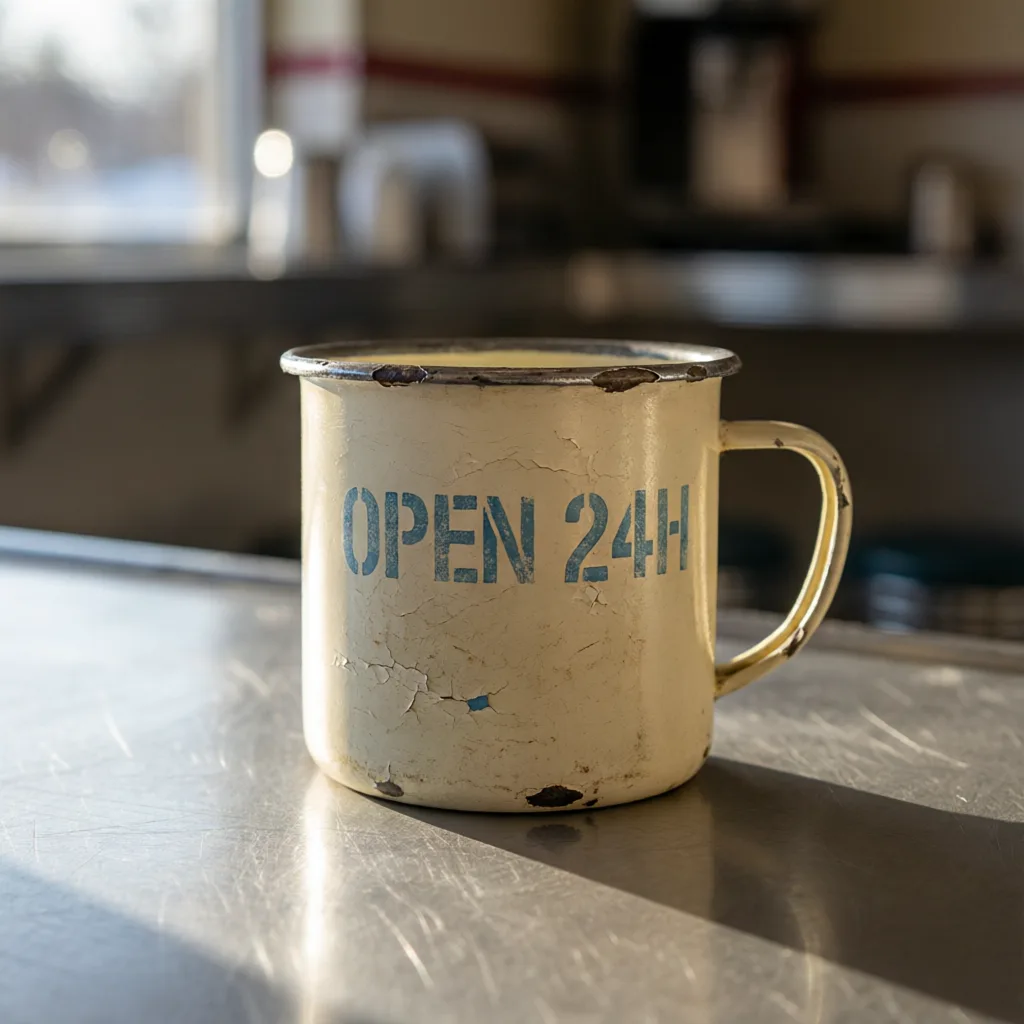
모델이 반환한 크기 1024×1024 지연 시간 11 s
프롬프트 하나에 모델당 요청 한 번, 재시도도 골라내기도 없이 각 모델이 처음 반환한 결과입니다. 크기와 길이는 고정하지 않고 모델마다 기본값을 그대로 썼습니다. 모든 모델에 맞춘 요청은 어느 모델의 장점도 살리지 못하기 때문입니다. 여기 있는 파일은 웹용으로 다시 인코딩한 것이므로, 압축 품질이 아니라 구도와 프롬프트 반영 정도를 보고 판단하세요.
30초 만에 qwen-image-2.0-pro 사용하기
OpenAI 호환입니다. base_url만 바꾸고 SDK는 그대로 쓰세요. POST /v1/images/generations
from openai import OpenAI

client = OpenAI(
    base_url="https://synthorai.io/v1",
    api_key="sk-syn-...",
)

resp = client.images.generate(
    model="qwen-image-2.0-pro",
    prompt="a watercolor lighthouse at dawn",
    size="1024x1024",
)
print(resp.data[0].b64_json[:80])
import OpenAI from "openai";
const client = new OpenAI({
baseURL: "https://synthorai.io/v1",
apiKey: "sk-syn-...",
});
const resp = await client.images.generate({
model: "qwen-image-2.0-pro",
prompt: "a watercolor lighthouse at dawn",
size: "1024x1024",
});
console.log(resp.data?.[0]?.b64_json?.slice(0, 80));curl https://synthorai.io/v1/images/generations \
-H "Authorization: Bearer sk-syn-..." \
-H "Content-Type: application/json" \
-d '{
"model": "qwen-image-2.0-pro",
"prompt": "a watercolor lighthouse at dawn",
"size": "1024x1024"
}'package main
import (
"context"
"fmt"
"github.com/openai/openai-go/v3"
"github.com/openai/openai-go/v3/option"
)
func main() {
client := openai.NewClient(
option.WithBaseURL("https://synthorai.io/v1"),
option.WithAPIKey("sk-syn-..."),
)
resp, _ := client.Images.Generate(context.TODO(), openai.ImageGenerateParams{
Model: "qwen-image-2.0-pro",
Prompt: "a watercolor lighthouse at dawn",
Size: "1024x1024",
})
fmt.Println(resp.Data[0].B64JSON[:80])
}import com.openai.client.OpenAIClient;
import com.openai.client.okhttp.OpenAIOkHttpClient;
import com.openai.models.images.*;
OpenAIClient client = OpenAIOkHttpClient.builder()
.baseUrl("https://synthorai.io/v1")
.apiKey("sk-syn-...")
.build();
ImagesResponse resp = client.images().generate(
ImageGenerateParams.builder()
.model("qwen-image-2.0-pro")
.prompt("a watercolor lighthouse at dawn")
.size("1024x1024")
.build());
System.out.println(resp.data().orElseThrow().get(0).b64Json().orElseThrow().substring(0, 80));qwen-image-2.0-pro 소개
- 1세대 Qwen-Image 대비 시리즈를 규정하는 업그레이드를 그대로 공유합니다.
- 하나의 모델에 통합된 생성과 편집, 네이티브 2K 해상도, 개선된 텍스트 렌더링, 그리고 최대 1k 토큰의 지시로 인포그래픽·포스터·만화를 만들 수 있을 만큼 강한 타이포그래피입니다.
- 공식 문서는 기본 모델과 나란히 이 모델을 커스텀 해상도 지원과 함께 싣고 있습니다.
- 두 항목을 나란히 놓고 보면 구분이 이례적으로 명확합니다.
- 사양 표가 동일하고(같은 512x512부터 2048x2048까지의 범위와 2048x2048 기본값, 같은 화면비 프리셋, 요청당 같은 1장에서 6장, 같은 500자 네거티브 프롬프트, 비동기 작업 흐름이 없는 같은 동기 전용 API), Alibaba는 오직 출력만을 근거로 이 변형에 Recommended 표시를 붙이면서 더 강한 텍스트 렌더링, 더 사실적인 질감, 프롬프트에 더 가까운 의미 준수를 이유로 듭니다.
- 편집은 생성과 같은 모델 id를 공유하며, 1장에서 3장의 참조 이미지를 받아 이미지 속 텍스트 편집, 객체 추가·제거·재배치, 자세 변경, 스타일 전이, 디테일 향상을 수행합니다.
- 다만 더 넓은 Qwen 패밀리가 오픈 이미지 가중치를 공개하고는 있지만, 공개된 체크포인트는 이 모델이 아니라 이전 세대 모델입니다.
- 2.0 시리즈는 API 전용입니다.
- Synthorai는 OpenAI 호환 이미지 API로 이 모델을 노출합니다.
자주 묻는 질문
qwen-image-2.0-pro API는 무료로 사용해 볼 수 있나요?
네. 신규 계정에는 체험 호출 10회와 최대 $1의 무료 크레딧을 드리며, 카드 등록은 필요 없습니다. 결제 수단을 추가하기 전에 실제 워크로드로 qwen-image-2.0-pro를 충분히 시험해 볼 수 있는 양입니다.
qwen-image-2.0-pro는 어떤 작업에 가장 강한가요?
최대 품질을 겨냥한 프로 티어, 통합 편집의 네이티브 2K 해상도, 최대 1k 토큰 지시로 인포그래픽 생성. 자세한 내용은 공급자의 공식 릴리스 노트를 바탕으로 정리한 소개 섹션에서 확인하세요.
qwen-image-2.0-pro 가격은 얼마인가요?
Synthorai에서 qwen-image-2.0-pro 가격은 생성한 이미지 1장당 $0.075입니다. 종량제이며 플랫폼 마진도, 구독도 없습니다.
qwen-image-2.0-pro API로 이미지를 어떻게 생성하나요?
Synthorai의 /v1/images/generations로 POST 요청(model="qwen-image-2.0-pro")을 보내면 됩니다. OpenAI images API와 형식이 같아 공급자 SDK는 필요 없습니다. 지원 크기: 2048x2048(기본값, 1:1), 2688x1536(16:9), 1536x2688(9:16), 2368x1728(4:3), 1728x2368(3:4), 커스텀 WxH(총 픽셀 512x512-2048x2048).
qwen-image-2.0-pro는 어떻게 이용하나요?
쓰던 OpenAI SDK에서 base_url="https://synthorai.io/v1", model="qwen-image-2.0-pro"만 지정하면 됩니다. API 키 하나로 게이트웨이의 모든 모델을 쓸 수 있습니다.
관련 모델
비교
이 페이지의 모든 값은 공급자 공식 문서(위 링크)에서 그대로 옮겨 적었으며, 확인한 날짜를 함께 표기합니다. 가격은 카탈로그 전체와 비교해 보여 주지만, 공급자마다 정의가 다른 사양 값은 차이만 밝히고 차트로 비교하지 않습니다. 저희가 직접 측정한 수치는 없고, 점수도 매기지 않습니다.